
Batch Values is an Omeka S module for bulk editing: change many items, item sets and media at once — add, remove, replace, find and replace, split, join and clean up values, change visibility, language, data type, template, class, owner, item sets, sites and thumbnails, reorder media, edit media details and make page images from PDFs.
Every run shows a preview first, every change is logged, and almost every run can be cancelled later — one change at a time or the whole run.
- Omeka S 4.x · no other module required
- Licence: GPL-3.0-or-later (see
LICENSE) - Issues and questions: https://github.com/phumraphee/BatchValues/issues
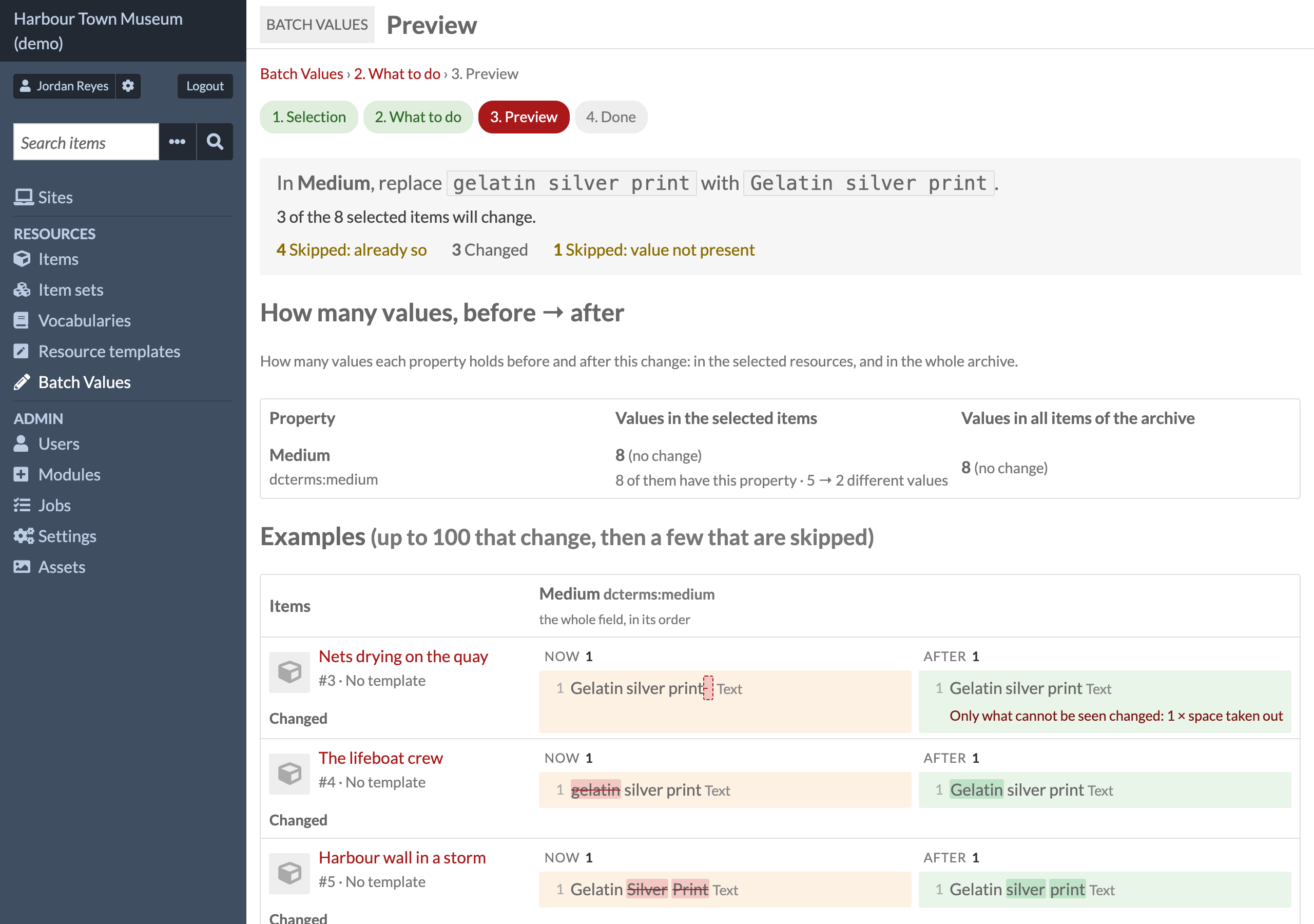
Preview — what will change and what will be skipped, and why, before anything is written:
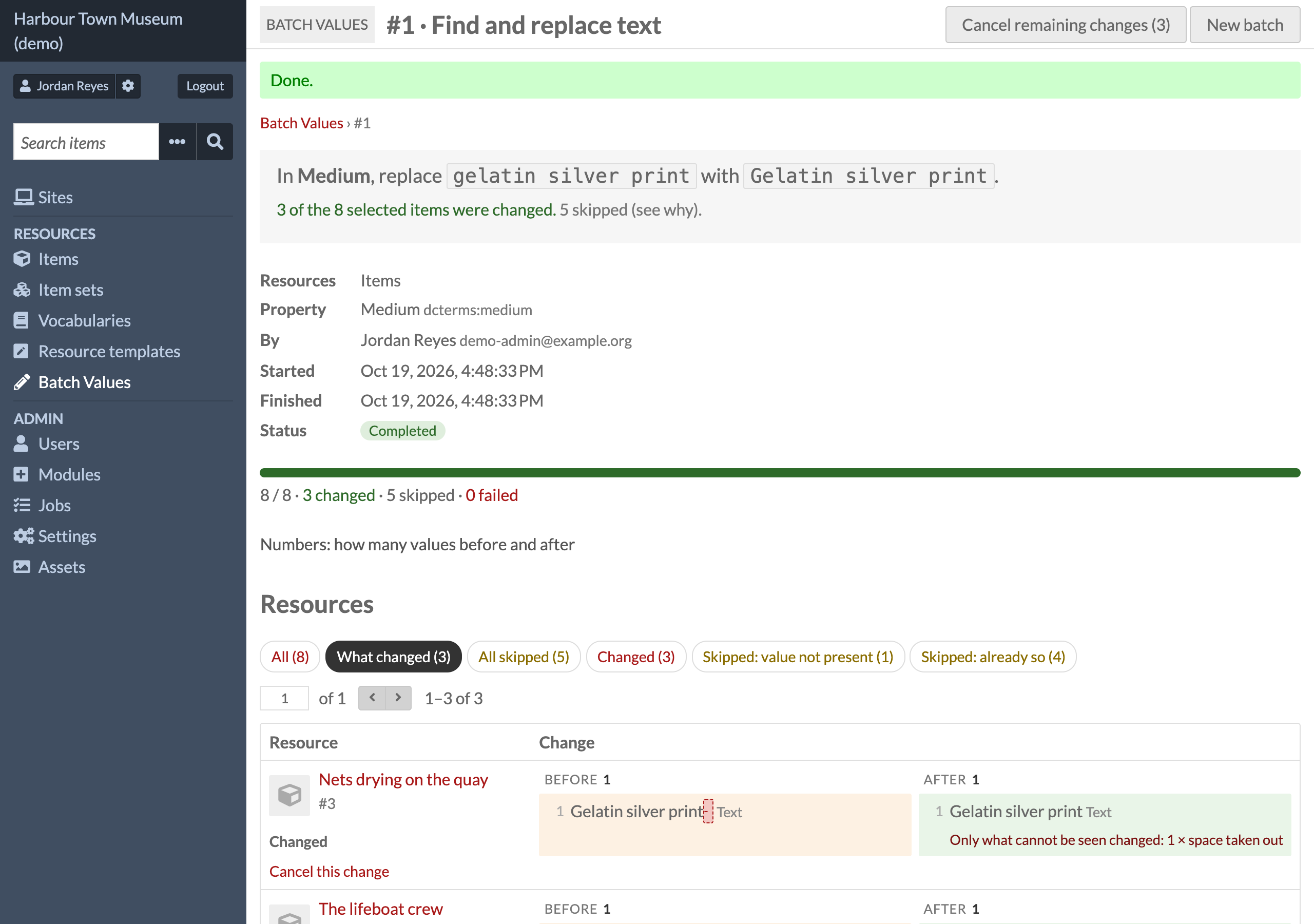
The log — every run, who made it and what it changed, with a button to cancel it:
All screenshots are from a demo site with made-up people and objects.
- Unzip into
modules/BatchValues(the folder name must stay exactly that). - Admin → Modules → Batch Values → Install. To update, replace the folder and press Upgrade.
Installing creates two tables, batch_values_change_set and batch_values_change.
Uninstalling drops them, and the whole log with them.
The task Make page images from PDFs needs pdftoppm (package poppler-utils) or ImageMagick
on the server.
- Choose — on Items, Item sets or Media, search or tick, then Batch actions → Edit with Batch Values. Ticked rows are used if any are ticked; otherwise every result of the search. There is also Admin → Batch Values → New batch (by template, item set, a list of ids or a search URL). Click any item in the side list to look at it without leaving the page.
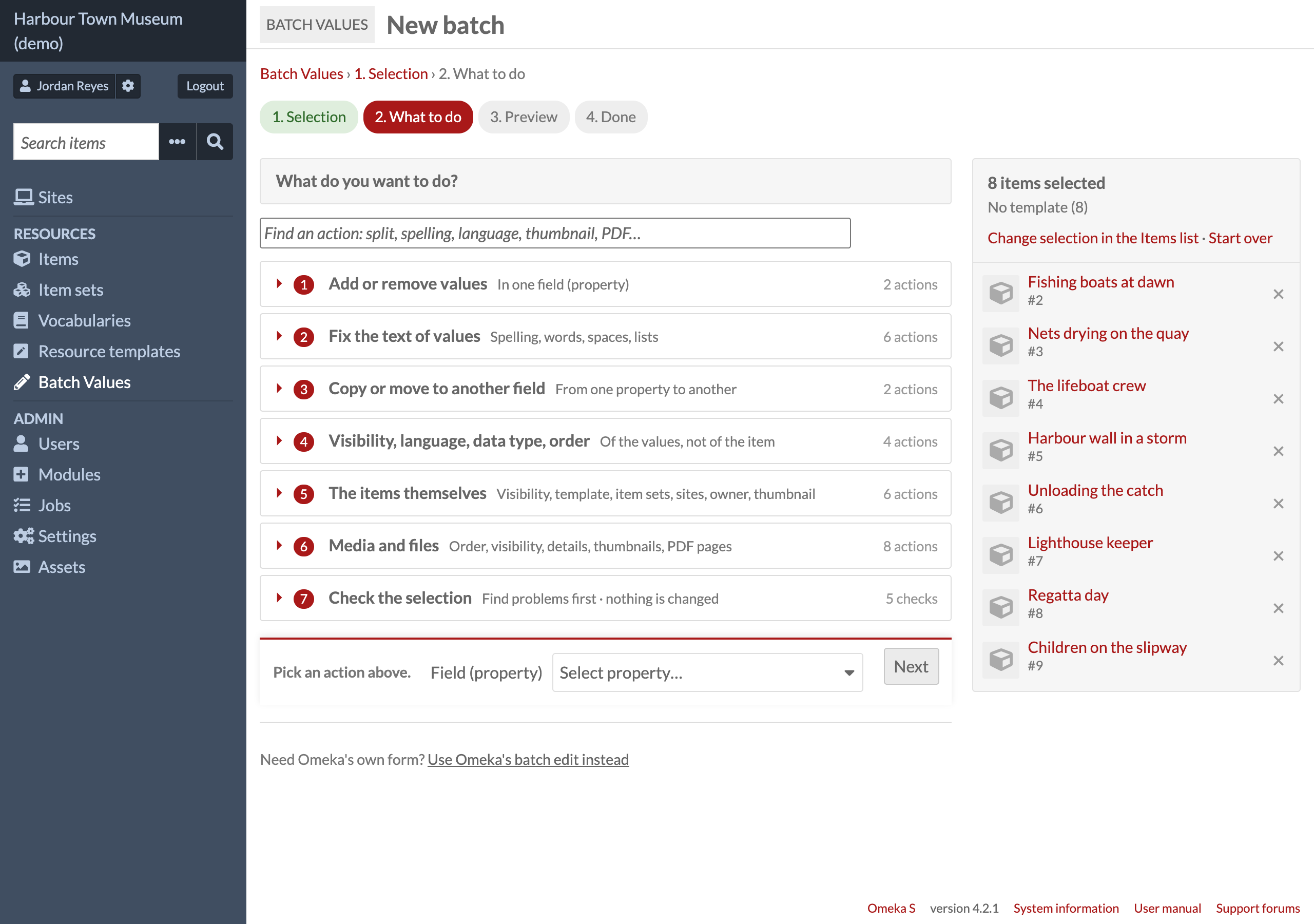
- Choose what to do — the tasks are grouped and can be searched by name (Find an action,
e.g.
pdf,merge,trim). Tasks a user is not allowed to do are not shown. - Preview — how many will change and how many will be skipped, and why; the field's counts before → after; up to 100 examples. Nothing has been written yet.
- Run — small runs happen at once; larger ones become a background job (Admin → Jobs). Everything is checked again when the run starts, so an edit made in between is taken into account.
Add or remove values — Add values (with the data types of each resource template) · Remove values.
Fix the text of values — Replace whole values · Find and replace text (match case, whole
value, regular expressions with $1) · Add text before or after · Split into several values ·
Join values into one · Clean up spaces and duplicates.
These touch text-like data types only (Text, URI, HTML, XML, Custom Vocab, Numeric, Value
Suggest); a value that links to a resource is never rewritten as text. Every new value is checked
by its data type before it is saved.
Copy or move to another field — copy or move values to another property, all of them or the ones that match a rule; a moved value keeps its id, visibility and annotation.
Visibility, language, data type, order (of values) — Make values public or private · Set, change or remove the language (also "every value with language code X") · Change to the data type of the template · Sort the values (A → Z / Z → A, numbers in natural order).
The resources themselves (replaces Omeka's Edit selected / Edit all) — Make public or private · Open or close item sets · Change template or class · Add to or remove from item sets and sites · Change owner · Set or remove the thumbnail.
Media and files — Reorder media · Make media public or private · Edit alt text, file name, media type, language or HTML · Make thumbnails again · Make page images from PDFs · Split items: one item per media · Delete media (cannot be cancelled; asks for confirmation).
Checks (nothing is changed) — data types that do not match the template · values entered twice · values to clean up · links to check · accession numbers (see Settings).
Links to check lists the first 50 of each kind per field. Show all N under a list opens that one field whole, 200 rows to a page with Previous and Next (1.0.2); until 1.0.1 the rest could not be seen at all.
- Each run is one change set: who made it (name and email as they were at that moment), when, what was asked, the preview's counts, and one row per resource changed or skipped, with the reason.
- Cancel this change (one row) or Cancel remaining changes (the whole run) makes a new change set that points back at the old one. Added values are removed, removed values are put back with their annotations and in their old place, changed values are set back.
- Anything that changed again since is skipped, with the reason. Delete media and Make thumbnails again cannot be cancelled and say so before they run.
Admin → Modules → Batch Values → Configure (global admin):
-
Vocabularies not listed — vocabularies left out of the property menus (fields in the selection's templates are always shown first).
-
Hide Omeka's "Edit selected" and "Edit all" — leaves Edit with Batch Values in the batch actions menu. Omeka's own batch edit stays reachable from Batch Values' second step.
-
When an item is saved — remove spaces at the start and end of values, and do not save the same value twice (both off by default) · ask before saving and before leaving the add and edit form (on; the question names the fields a person changed — what other widgets fill in by themselves is not counted — and is left to Revision History when that module is on and asks before saving) · buttons to sort and move values on the edit form, written to the log (on) · save a link with its exact data type,
resource:itemrather thanresource(on). -
Accession numbers — the field that holds them, the shapes they are written in (one regular expression per line with a group named
serial, then|and the groups the serial counts inside), and years that stand for "not known". Empty shapes: the check is off. Example:/^(?<year>\d{4})-(?<serial>\d{4})$/ | year /^(?<kind>[A-Z]+)-(?<year>\d{4})-(?<serial>\d{4})$/ | kind, year -
Run in the background above this many items — default 50 (3 for tasks on files).
Everything Omeka's Edit selected / Edit all form does has a task here, and so does every task of the Bulk Edit module (3.4.39) — with a preview, a log and cancelling, which neither has. Both can stay installed.
POST (or GET with ?from_search=1&<items browse query>) to /admin/batch-values/new:
| Field | Meaning |
|---|---|
resource_id_list or resource_ids[] |
the ids (a list separated by commas, spaces or new lines, or one per field) |
resource_type |
items (default) · item_sets · media |
term |
a property to preselect, e.g. dcterms:subject (or its id) |
operation |
a task to preselect: add · remove · replace · find_replace · affix · split · join · clean · convert · copy · move · visibility · language · sort · … |
return_url, return_label |
a link back (a path inside Omeka starting with /) |
This page writes nothing; every write still goes through the preview. The log tables can be read
by other modules: batch_values_change_set (one row per run) and batch_values_change (one row
per resource; outcome is added, removed, changed, or skipped_* / failed with a message).
Editor, site admin and global admin. The API checks each resource's permissions again.
Copyright (C) 2026 Phumraphee Sae-tang
This program is free software: you can redistribute it and/or modify it under the terms of the
GNU General Public License as published by the Free Software Foundation, either version 3 of the
License, or (at your option) any later version. See LICENSE.